
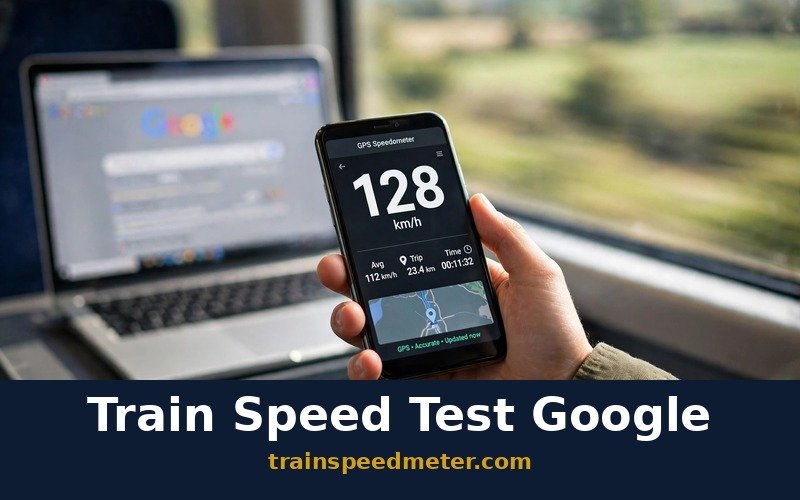
A Google search for a train speed test leads to browser-based GPS speedometers that read your phone’s location and show how fast your train is moving in km/h, mph, or m/s. You open the page after departure, allow location access, and watch the live number. No app or train number is needed. A live train speed meter measures your phone’s movement, not the train’s schedule or running status, and it works best near a window.
What a Train Speed Test Actually Measures
Most people who type “train speed test” into Google want one thing: to know, right now, how fast the coach they’re sitting in is travelling. The tools that answer this are free speedometers that run inside your mobile browser.
They measure ground speed, meaning how quickly your phone is changing position over the Earth’s surface. That’s a different thing from the train’s schedule, its platform arrival time, or its position on the route. If you need live running status, that’s a separate service.
Google itself doesn’t measure anything. It points you to a speed checker, and the quality of that tool decides how useful your reading is. This is where small details matter: how the page handles weak signals, whether it shows a confusing zero in a tunnel, and whether it gives you the maximum and average speed along with the live figure.
How a Train Speed Checker Online Works
A phone with GPS receives timing signals from several satellites at once. By comparing those signals, it works out where it is and how that position changes from moment to moment. Speed comes from that change. The general principle behind satellite positioning is well documented, and Wikipedia’s overview of the Global Positioning System covers the basics clearly.
There are two common ways a browser gets speed:
Directly from the device. Many phones report a speed value derived from the satellite signals themselves, which tends to respond smoothly to acceleration and braking.
By calculation. If the phone gives no speed value, the page divides the distance between two position fixes by the time between them.
Either way, the browser reaches your location through a standard web feature, which is why you’ll always see a permission prompt. Without that permission, no GPS speedometer can work.
Accuracy deserves honesty. According to GPS.gov, a smartphone is typically accurate to within about 4.9 metres under open sky, and the figure worsens near buildings, bridges and trees. A moving train is a tougher environment than an open field, because metal coaches and roofed stations block signals. That’s why a reading is best treated as a close estimate rather than a lab measurement.
How to Check Train Speed on Mobile, Step by Step
The process takes under a minute, but a few habits make the difference between a steady reading and a frustrating zero.
- Turn on location before you board. Switch on your phone’s location and set it to high accuracy or precise location where that option exists.
- Open the speed test page in your browser. Chrome, Safari, and Firefox all work. Load the page while you still have mobile data or Wi-Fi, since it needs a connection to open the first time.
- Wait until the train is moving. Starting on the platform wastes the first few seconds and can give odd early numbers.
- Tap Start and allow location. If you tap “Don’t allow” by accident, tap the padlock icon beside the web address, open permissions and switch location back on, then refresh.
- Give it 10 to 15 seconds. The first readings settle the signal, so the number can lag at the start.
- Keep the screen and tab active. Many browsers pause location updates when the screen locks or you switch tabs. If that happens, resume the test and wait for a fresh reading.
- Check the maximum and average at the end. The peak number is the one most people want to remember.
In practice, a window seat on the sunny side of the coach gives the most stable signal. Aisle seats in the middle of an air-conditioned coach can struggle, particularly in older rakes with tinted glass.
Train Speed Test App vs Browser Tool
You don’t need an app for a quick check. But apps do have a place.
| Method | Cost | Works offline after loading | Best for | Main drawback |
| Browser-based speed test | Free | Yes (GPS only) | A quick, no-install check | Pauses if the tab is hidden |
| Train speed test app | Free or paid | Yes | Saving trips and logs | Takes storage; may carry ads |
| GPS train speed meter with trip history | Usually paid | Yes | Frequent travellers who compare journeys | Needs setup |
| Kilometre-post timing | Free | Yes | Verifying a GPS reading | Needs a stopwatch and attention |
| Onboard display | Free | n/a | Premium trains only | Not available on most services |
If you ride the same route often, an app that stores sessions lets you compare today’s top speed with last week’s. If you just want a number for curiosity, the browser tool is faster.
Understanding the Numbers You See
A live speed meter shows more than one figure, and each means something different.
Current speed is the instant reading. It rises as the train pulls out, holds near its cruising speed, and falls as it brakes for a station or a restriction.
Maximum speed is the highest reading in your session. It’s the headline number, but one high-reading moment doesn’t describe the whole trip.
Average speed is distance divided by elapsed time, and it will always sit below the maximum because it includes acceleration, braking, and halts.
Distance and elapsed time let you cross-check the average. If your phone says you covered 60 km in 40 minutes, the average is 90 km/h.
A good tool also shows GPS accuracy. When the error radius is wide, treat the speed as rough.
Indian Railways Train Speed km/h: What to Expect
Indian trains differ widely in permitted speed, and a live reading is most interesting when you know what’s normal for your service. These are typical maximum permitted speeds on suitable sections, not guarantees for every stretch of your journey.
| Train type | Typical top speed | Realistic average | Notes |
| Vande Bharat Express | Up to 160 km/h on cleared sections | Often 70–100 km/h overall | Fast acceleration; limited by track conditions on most routes |
| Gatimaan Express | 160 km/h on the Delhi–Agra corridor | Around 100 km/h on the fast section | Long recognised as one of India’s quickest services |
| Rajdhani / Shatabdi | Commonly 130–140 km/h | Roughly 80–90 km/h | Fewer stops than ordinary expresses |
| Superfast / Mail Express | Often up to 110 km/h on good track | Around 55–65 km/h | Railways class a train as superfast above an average of 55 km/h |
| Ordinary passenger | Usually 75–100 km/h | Often 35–45 km/h | Frequent halts pull the average down |
This gap between top speed and average is the most misunderstood part of rail travel. A train rated for 160 km/h will only touch that figure on a few well-maintained, straight stretches. If you want to see this play out on specific services, try the Vande Bharat speed test, the Shatabdi speed test or the Gatimaan Express speed test. For background on the Vande Bharat fleet itself, Wikipedia’s entry on the Vande Bharat Express lists routes and specifications.
Why your reading may stay below the posted top speed
Several things hold a train under its ceiling: curves, level crossings, signalling aspects, station approaches, track maintenance work and weather. Dense fog in northern India in winter often forces trains to run slower than their usual limit. So a modest reading on a premium train isn’t a fault in your phone. It’s usually the railway doing its job on that section.
Calculate Train Speed Manually
A train speed calculator doesn’t need an app. You can work out speed with basic arithmetic, and it’s a handy way to sanity-check a GPS reading.
The formula: speed = distance ÷ time.
Example 1: Your train covers 45 km between two stations in 30 minutes. Speed = 45 ÷ 0.5 = 90 km/h.
Example 2, with kilometre posts: Indian tracks carry small markers every kilometre. Start a stopwatch at one post and stop it at the next. Divide 3,600 by the seconds elapsed.
36 seconds → 100 km/h
30 seconds → 120 km/h
24 seconds → 150 km/h
Look carefully, and you’ll see the numbers repeat in a pattern, since 3,600 seconds make an hour. This method has no dependence on satellites, so it still works inside a tunnel, as long as you can spot a marker.
Unit conversions you’ll actually use
1 km/h = 0.278 m/s
100 km/h ≈ 62 mph
160 km/h ≈ 99 mph
Why a Live Reading Differs From the Timetable
A timetable gives you planned times between stops. From that you can estimate an average, but it hides everything in between. The live meter shows the train as it truly runs: slow out of the station, quick on a clear section, easing off at a signal.
That’s why a train can show 130 km/h on your screen and still arrive “slowly” overall. Think of top speed as how powerful the engine is on a good day, and average speed as how the whole day went.
A Shatabdi speed test shows this clearly — the live number touches 130 km/h, but the timetable average stays far lower.
When the Speedometer Shows Zero or Goes Blank
Zero is the most common complaint, and it nearly always means signal loss, not a stopped train.
- Tunnels and deep cuttings. Satellite signals can’t pass through rock or soil. The reading should return once you exit.
- Under steel bridges and station roofs. These briefly block the signal.
- Inside metal-heavy coaches. Sit near a window and keep the phone flat against the glass side.
- Blocked permission. Check your browser’s site settings and your phone’s location settings separately. Both must be on.
- Power-saving mode. Battery savers can throttle location updates. Turn the mode off for the test.
A blank or dash isn’t a confirmed zero. If the train has genuinely stopped at a platform, the number will fall gradually towards zero as the train brakes, not snap to it from nowhere.
Battery, Data and Safety While You Test
GPS uses more power than ordinary browsing, so a long journey drains the battery faster than you’d expect. On a trip over two hours, a power bank is sensible. Data use is tiny. The page loads once, and after that the speed calculation relies on the phone’s GPS chip rather than the internet.
Privacy is worth a quick check. A reputable tool calculates speed inside your browser and doesn’t need your name, train number, or PNR. Be wary of any page that asks for contact details before showing a number.
On safety: use the test only while seated, and never lean out of a door or open window to improve your signal. Speed itself is controlled by the railway through signalling, track condition limits and permitted speeds for each section, so a high reading on your phone says nothing about whether the train is running safely. It simply reflects what the track and signals allow at that moment.
Real-World Examples
The curious passenger. A traveller on a morning Vande Bharat opens the page after departure and sees the number climb past 100 km/h within minutes, then flatten and dip near a station. The graph of the journey tells a fuller story than any ticket would.
The student project. A physics student records the maximum, average and total distance on a short intercity ride, then compares them with the manual kilometre-post method. The two figures land close, which makes a neat lesson about measurement error.
The railway enthusiast. Someone who rides the Delhi–Agra route regularly compares readings across several trips to see where the train reaches its highest speed and where it consistently slows.
The Delhi–Agra Gatimaan speed test is the classic comparison run for enthusiasts on that corridor.
Pro Tips for More Reliable Readings
- Start the test only once the train is clearly moving.
- Keep the phone near the window glass, screen up, rather than in a bag or pocket.
- Turn off battery saver and keep the browser tab in the foreground.
- Take two or three samples at different points of the journey, not just one.
- Verify a surprising number with the stopwatch method over one kilometre.
- If the browser struggles, try another one before blaming the phone.
Who Benefits From a Live Train Speed Meter
Daily commuters can see how much time stops and slowdowns really cost them. Students and teachers get a real-world problem with real data. Railway enthusiasts can log top speeds and compare services. Travel bloggers and vloggers can add a verified speed to their content. Families on long journeys turn waiting time into something children enjoy watching.
For anyone choosing between trains, the live reading is also a quiet commercial insight: a premium ticket buys a higher ceiling, but the real gains show up in the average and in how few stops there are.
Train Speed Test Google: Quick Takeaways Before You Travel
A train speed test Google search gives you a free, no-install way to read your train’s live speed from your phone’s GPS. Load the page, allow location, start after departure, and sit near a window. Expect small dips in tunnels and stations, treat the figure as a close estimate, and use a stopwatch and the kilometre-post method whenever you want to double-check. The numbers become far more meaningful once you know what each Indian train class is cleared to do.
Frequently Asked Questions
How do I check my train’s speed on Google?
Google itself doesn’t show your speed, but searching for a train speed test takes you to browser-based GPS speedometers. Open one on your phone after departure, allow location access, and tap Start. You’ll see your live speed in km/h within about 15 seconds, with no app or account needed.
Is a train speed checker online accurate?
It’s a close estimate, not a calibrated measurement. Under open sky, smartphone GPS is usually accurate to a few metres, which gives a reliable speed in most conditions. Tunnels, covered stations and metal coaches reduce accuracy, so use the reading as a good guide rather than an official figure.
Does a live train speed meter work without internet?
Mostly, yes. You need a connection to load the page the first time. After that, the speed calculation runs on your phone’s GPS chip, which doesn’t use mobile data. If the page reloads or refreshes during the journey in a dead zone, though, it may fail to reopen.
Do I need a train speed test app, or is the browser enough?
The browser is enough for a quick reading. An app is better if you want saved trip history, comparisons between journeys, or background tracking. Browser tools can pause when the screen locks, whereas dedicated apps often handle that more smoothly.
Why does my GPS train speed meter show 0 km/h?
Usually because the signal dropped, not because the train stopped. Tunnels, bridges, station roofs, and aisle seats all block satellites. Move near a window, make sure location permission is on for both the browser and the page, and wait a few seconds for a fresh reading.