
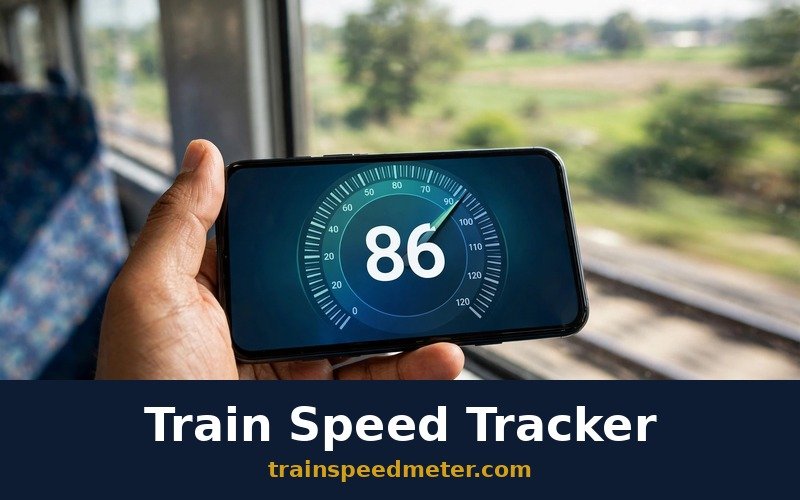
A train speed tracker uses your phone’s GPS to show how fast a train is moving right now. You can open a live train speed tracker in your mobile browser or install a train speed tracker app, allow location access, and read your speed in km/h, mph, or m/s. Because it reads satellite signals directly, real-time train speed works without a PNR, a train number, or any data from the railway.
How a Train Speed Tracker Works
Your phone listens to signals from navigation satellites. The U.S. government’s GPS.gov accuracy page notes that a smartphone is typically accurate to within about 4.9 meters under open sky, and that buildings, bridges, and trees make it worse. Speed is derived from this: either from the Doppler shift in the satellite signals or from the distance between two position fixes divided by the time between them.
That is why a train speed tracker GPS reading is independent of the train. It does not ask the driver’s cab, the coach display, or the railway’s system. It measures your phone’s movement over the ground, and since you are sitting in the train, that is the train’s speed.
For readers who want the technical background, the Wikipedia entry on the Global Positioning System explains the satellite constellation and how receivers calculate position and velocity.
Two things are worth knowing:
Speed is more reliable than position. A phone can show your location a few meters off while still reporting a steady, believable speed, since small position errors cancel out between readings.
The first reading takes a moment. After you tap start, the receiver needs 10 to 15 seconds to lock on. Anything it shows before that is a guess.
How to Use a Live Train Speed Tracker, Step by Step
You do not need to be technical to use a live train speed tracker. The whole process takes under a minute.
Wait until the train is moving. Starting at the platform just records a long stretch of 0 km/h. Begin after departure.
Open the tracker in your phone’s browser or launch your train speed tracker app.
Tap Start and allow location. If your browser asks, choose precise or high-accuracy location. Approximate location gives choppy speed readings.
Move near a window. Metal coach bodies and tinted glass weaken the signal.
Keep the screen on. Many phones pause browser tabs when the screen locks, which freezes the reading.
Pick your unit. Switch between km/h, mph, or m/s depending on what you are comparing against.
Check max and average speed at the end of a stretch. Good trackers keep these for you.
Pro tip: compare your reading over two or three minutes rather than a single second. A moving train accelerates, brakes, and slows for curves, so one number can mislead.
Train Speed Tracker App vs. Online Tracker vs. Train Speed Meter
Every option below reads the same GPS signal. The difference is convenience, features, and how much phone storage and battery they use.
| Feature | Train speed tracker online (browser) | Train speed tracker app | Train speed meter (dedicated tool) |
| Install needed | No | Yes | No |
| Works after first load without data | Usually | Yes | Usually |
| Max, average, distance | Yes | Yes | Yes |
| Saved trip history | Limited | Often | Session only |
| Battery use | Moderate | Moderate to high | Moderate |
| Best for | Quick checks, no storage | Frequent travelers, trip logs | Fast, simple readings |
| Cost | Free | Free with ads, or paid | Free |
If you ride once in a while, a browser-based train speed checker is the simplest route. If you travel often and want logs, an app makes more sense, and some apps such as Where Is My Train include a speedometer option inside their settings.
Where to Sit and What to Do for Accurate Readings
In practice, the seat matters more than the app. On a recent run, a window seat in an air-conditioned coach produced a stable lock within seconds, while the middle berth in the same coach kept dropping to a dash.
Window seat, phone against the glass. Even holding the phone a few centimeters from the glass helps.
Avoid pockets and bags. Your body and bag block part of the sky.
Open the app early. Let it settle before the train reaches its cruising section.
Disable battery saver. It can throttle location updates.
Use airplane mode carefully. GPS still works with mobile data off, but turn location services on explicitly.
Why Your Train Speed Tracker Shows 0 km/h
A zero or a dash does not always mean the train has stopped. The usual causes:
Tunnels and underground sections. GPS needs a line of sight to satellites.
Heavy steel bridges and deep cuttings. The signal gets blocked or reflected.
Location permission denied. Check both the browser and the website permission.
Approximate location mode. Switch to precise.
A hidden tab. If the browser tab went to the background, resume the session.
Readings come back on their own once the sky is visible again. If they do not, restart the tracker rather than waiting.
What Speed to Expect on Indian Trains
Indian Railways speeds vary widely by train class and route, and your live reading will rarely match the top number.
| Train type | Typical top speed on cleared sections | What you usually see |
| Vande Bharat Express | Up to 160 km/h | 100 to 130 km/h on most sections |
| Gatimaan Express | Up to 160 km/h | 110 to 150 km/h on the Delhi to Agra route |
| Rajdhani / Shatabdi | Around 130 to 140 km/h | 90 to 130 km/h |
| Superfast / Mail Express | About 100 to 110 km/h | 60 to 100 km/h |
| Ordinary passenger | Around 75 to 90 km/h | 40 to 70 km/h |
The Wikipedia page for the Vande Bharat Express notes that the trainsets are designed for higher speeds than the network currently allows, which is why you will often see them capped at 160 km/h even where the train could go faster.
You can see how each class behaves in practice on dedicated pages: try a Vande Bharat speed test, a Shatabdi speed test, or a Gatimaan speed test.
Why Live Speed Is Different from Timetable Speed
A timetable gives you an average across a journey, including every stop, slow section, and signal wait. A live reading shows the exact speed at this second.
A train that peaks at 130 km/h can still average 70 km/h over the full trip. It accelerates out of stations, slows for curves, stops at signals, and brakes into the next station. Seeing both numbers, current and average, is the quickest way to understand why a “fast” train still takes hours.
This is also a useful check on a late service. If the live reading is steadily near the line speed and the train is still behind, the delay is happening at stations or signals, not on the open track.
How Train Speed Was Measured Before Smartphones
Before phones, speed was measured by the railway itself. Mechanical recorders in the cab, sensors on axles and wheels, trackside timing between marked points, and later electronic train control systems all fed information to the operator.
Passengers saw very little of this. You could time the distance markers by the track with a stopwatch and calculate speed by hand, but live speed was not something most people could read. Phone GPS turned that into a free, one-tap measurement.
Who Uses a Train Speed Tracker
Curious commuters who want to know if the express really is fast.
Rail enthusiasts who log peak speeds on a Vande Bharat or a Gatimaan.
Students doing physics or geography projects on motion and velocity.
Content creators who film window views and show a live speed overlay.
Families who turn a long journey into a game of guessing the next number.
Travelers comparing services before choosing between a Rajdhani, a Shatabdi, and a Superfast.
Does It Work Offline, and What About Privacy and Battery?
The page or app needs a connection to load the first time. After that, the GPS chip does the work, so a train speed tracker works through patches with no mobile coverage. A good browser-based tool also processes everything on your device, so your location is not uploaded. It is still worth reading the privacy policy before you grant location access to any app.
GPS does draw more battery than passive browsing. On journeys longer than two hours, a power bank is a sensible backup. Lowering screen brightness helps without affecting accuracy.
Honest Limits of Phone-Based Speed Tracking
A phone GPS reading is an estimate, not a calibrated instrument. It depends on your phone’s receiver, the coach construction, weather, and surroundings, and it will not match the railway’s official speed recorder to the decimal. It also tells you nothing about where the train is on the route, its running status, or whether it will arrive on time. For those, you still need a separate running-status service.
Treat the number as a very good indicator, not as evidence for a dispute or an official record.
Frequently Asked Questions
How can I check my train’s speed on my phone?
Open a live train speed tracker in your browser after the train departs, tap start, and allow precise location. Your phone’s GPS calculates speed from satellite signals. Sit near a window and keep the screen on. You will see current speed within a few seconds of the signal locking.
Is a train speed tracker app better than an online tracker?
Not for accuracy, since both read the same GPS signal. An app suits frequent travelers who want saved trips and history. A train speed tracker online is quicker, needs no installation, and uses no storage. For a one-off journey, the browser option is usually enough.
Does a train speed tracker work without internet?
You need internet to load the page or app once. After that, GPS works without mobile data or even a SIM. If you pass through a dead zone, the speed reading continues because it comes from satellites, not from your network.
Why does my train speed tracker GPS show 0 km/h in a tunnel?
Tunnels block satellite signals, so the phone cannot calculate movement. A zero or a dash in that case does not mean the train stopped. Once the train exits and the sky is visible, the reading returns by itself within a few seconds.
How accurate is real-time train speed from a phone?
In open conditions, GPS speed is generally within a few km/h of the true value, according to typical receiver performance. Accuracy drops in tunnels, covered stations, and dense city corridors. Compare readings over a few minutes rather than trusting a single snapshot.