
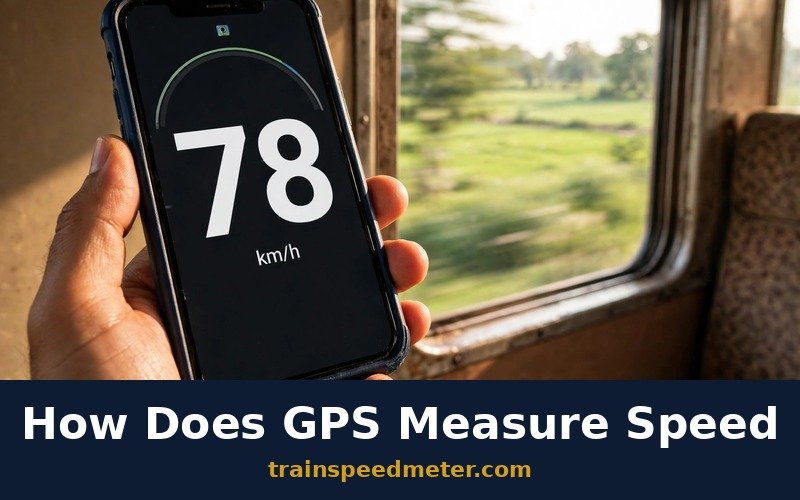
GPS measures speed by tracking how fast your receiver moves relative to satellites orbiting about 20,000 km overhead. Your device either compares successive position fixes over time or reads the Doppler shift in the satellite signal, which gives a far smoother result. A GPS speedometer app, GPS speed tracker, or dedicated GPS speed measurement device then converts that into km/h, mph, knots, or m/s. In open sky, GPS speed accuracy is typically within about 1 to 3 km/h.
How GPS Calculates Speed: The Two Methods
Most people assume a GPS receiver simply knows how fast it’s going. It doesn’t. A GPS chip has no wheel, no sensor, and no direct feel for motion. What it knows is where it is, again and again, and how the satellite signals are behaving. Speed is derived from that. There are two ways it gets done.
Method 1: Distance over time
The simpler approach is position differencing. Your device calculates a position fix (latitude, longitude, altitude) from at least four satellites. A fraction of a second later, it does it again. Distance between the two points divided by the time gap gives speed.
If you moved 25 metres between fixes taken one second apart, you’re travelling at 25 m/s, which is 90 km/h.
The weakness is noise. Each fix carries a small error, and at low speeds that error is a big share of the distance moved. Walking at 5 km/h, a 3-metre position wobble can make the speed jump wildly. At train or highway speeds, the same wobble barely matters, because the distance covered between fixes is so much larger.
Method 2: Doppler shift
The better method, and the one modern chipsets lean on, uses the Doppler effect. It’s the same physics that makes an ambulance siren sound higher as it approaches and lower as it passes.
GPS satellites broadcast on known frequencies; the civilian L1 signal sits at 1575.42 MHz. Because the satellites travel at roughly 3.9 km/s and you may be moving too, the frequency your receiver actually measures is slightly shifted. The size of that shift tells the receiver how quickly the distance to each satellite is changing. Since the satellites’ own velocities are broadcast in their navigation data, the receiver can combine readings from several of them and solve for your velocity, both speed and direction.
This is why GPS Doppler shift speed readings are so smooth. They don’t depend on subtracting two noisy positions, so even slow movement shows up cleanly. The official GPS performance standard published on GPS.gov describes the system’s speed accuracy in fractions of a metre per second under good conditions, far finer than any dashboard dial can display.
Your phone’s operating system picks the method. Android and iOS expose a speed value to apps, and most of the time that value is Doppler-based. When the chip can’t produce one, apps fall back to calculating distance over time.
What Actually Happens in the Second Before You See a Number
Here is the sequence when you tap “Start” on a speed tracker:
- Permission. The browser or app asks for location access. Nothing happens without it.
- Satellite acquisition. The chip listens for signals. A “cold start” after hours with the phone off can take 30 seconds or more; a warm start takes a few seconds.
- First fix. Four satellites are the minimum for a 3D position. In practice, a phone sees eight to fifteen across several constellations (GPS, GLONASS, Galileo, BeiDou).
- Velocity solution. Doppler measurements from those satellites are combined into a speed and heading.
- Filtering. The app smooths the output so the needle doesn’t jitter, which is also why GPS readings lag a moment behind sudden acceleration.
- Display. The result appears in your chosen unit.
In practice, the first few seconds after starting are the least trustworthy. Good apps discard early readings until the signal settles.
GPS Speed Accuracy: What the Numbers Really Mean
You’ll see claims ranging from “accurate to 0.5 km/h” to “accurate to 10%.” Both can be defended, depending on conditions.
According to GPS.gov, a typical smartphone is accurate to within roughly 5 metres in position under open sky. Speed accuracy is a separate thing and generally much better than position accuracy, because Doppler measurements track change rather than absolute location.
A realistic expectation: within about 1 to 3 km/h (0.5 to 2 mph) outdoors with a clear view of the sky. That holds for car, cycle, boat and train.
Accuracy degrades when:
- Satellite view is blocked. Tunnels, underground stations, covered car parks, and thick forest canopy.
- Signals bounce. Between tall buildings, reflected signals confuse the receiver, an effect called multipath, or “urban canyon.”
- Speeds are very low. Walking-pace readings are noisier, particularly if the device relies on position differencing.
- The phone is inside a metal shell. Train coaches, with their metal bodies and coated windows, weaken signals. A window seat helps noticeably.
- Acceleration is sudden. Smoothing causes a brief lag.
One more point most guides skip: a reading of 0 km/h in a tunnel is not a measurement. It means “no fix.” A well-built tool shows a dash or an “acquiring” message instead, and that’s the behaviour you want.
GPS Speed vs. Car Speedometer: Why They Disagree
Almost everyone who tries a GPS speedometer app in a car notices the same thing: the dashboard says 100, the phone says 95 or 96. Neither is broken.
A car speedometer counts wheel or driveshaft rotation and converts it to speed using an assumed tyre circumference. GPS measures actual movement over the ground. The gap comes from three places:
- Deliberate over-reading. Under UN Regulation 39, which governs speedometers across Europe and many other markets, a speedometer must never show less than the true speed, and may overstate it by up to 10% plus 4 km/h. Manufacturers therefore calibrate high.
- Tyre wear and size. Worn tyres have a smaller rolling radius; larger aftermarket wheels make the dial read low.
- Tyre pressure and temperature. Both change effective circumference slightly.
| Factor | GPS speed | Car speedometer |
| What it measures | Movement over the ground | Wheel/driveshaft rotation |
| Typical bias | Very small | Reads high by design |
| Affected by tyre size | No | Yes |
| Affected by tunnels/buildings | Yes | No |
| Reaction to sudden acceleration | Slight lag | Near-instant |
| Legal reference in a dispute | Generally not | The vehicle’s own display, though police use radar or lidar |
Neither is “right” in every situation. GPS is a good second opinion on calibration, and the dashboard stays the instrument you actually drive by.
Ways to Measure Speed With GPS
There are three practical routes. Which one fits depends on whether you want a quick check, a record of trips, or a permanent fixture.
Browser-based speed meters
A web page can request your location through the browser’s Geolocation API, read the speed value the phone provides, and draw a dial. No installation, no account. This is the fastest way to check a GPS speed tracker reading, and it suits one-off checks such as a train speed meter running on your phone during a journey. The limits: the page usually needs to stay open on screen, and trip history is minimal.
GPS speedometer apps
A dedicated GPS speedometer app adds what browsers can’t do well: background tracking, trip logs, route maps, speed alerts, a HUD mode that mirrors the display for windshield reflection, and offline use. Cyclists and runners usually prefer these, since they record top speed, average speed and distance automatically.
Hardware GPS speed measurement devices
A GPS speed measurement device is a standalone unit, either a heads-up display that plugs into a car’s USB or lighter socket or a handlebar computer for bikes. Their advantage is a dedicated receiver and antenna, often with faster fixes and better reception than a phone tucked in a pocket. The trade-off is cost and one more gadget to charge or mount.
| Option | Cost | Best for | Main drawback |
| Browser speed meter | Free | Quick checks, train rides | Screen must stay on |
| Mobile app | Free to low | Trip logs, cycling, running | Battery use |
| Hardware HUD/bike computer | Low to mid | Daily driving, serious riding | Extra device to mount and power |
How to Check Speed With GPS: Step by Step
- Turn on your phone’s location services and, where offered, enable precise location.
- Open the speed meter page or app and allow location access when prompted.
- Choose your unit: km/h, mph, m/s, or knots.
- Tap Start and wait 10 to 30 seconds for a stable fix.
- Keep the phone where it has a clear view of the sky, near a window on a train or on a dashboard mount in a car.
- Read the speed once the status shows a good signal, and ignore the first few seconds.
If the reading stays at zero, location permission is the usual culprit. Check the lock icon beside the address bar, confirm location is allowed for the site, then reload.
Real-World Examples
Cycling. A rider with a phone on the handlebars sees 28 km/h on the flat and 52 km/h on a descent. Because Doppler-based speed responds smoothly, the descent peak is believable. A magnet-and-sensor setup would need calibrating to the wheel size; GPS needs nothing.
Driving. Cruising at a dashboard-indicated 100 km/h, a phone shows 95 to 97. That offset is normal and matches the calibration margin above.
Train travel. On a long intercity run, a passenger starts a browser speed meter after departure, sits by the window and sees readings climb through the 120s on a straight stretch, then drop through a curve and a station approach. On a fast service like Vande Bharat, which is cleared for up to 160 km/h on suitable track, the reading shows how much of the journey is actually spent near top speed, and it’s usually less than people expect. A recorded Vande Bharat speed test makes this obvious: curves, speed restrictions, signals and stops pull the average well below the headline figure.
Boating. Marine speed is typically given in knots, where one knot equals one nautical mile per hour, about 1.852 km/h. GPS gives speed over ground, not through the water, so strong currents can make the two differ.
Who Benefits From GPS Speed Measurement
- Drivers wanting to check dashboard calibration or keep a second reference.
- Rail passengers curious how fast a train really travels between stations, whether on a premium service like the Gatimaan Express or an ordinary intercity run.
- Cyclists and runners tracking pace without extra sensors.
- Boaters and sailors logging speed over ground in knots.
- Skiers and snowboarders recording peak speed on a run.
- Fleet owners and families who want trip records without installing wiring.
- Students and hobbyists exploring how satellite navigation works.
Pro Tips From Regular Use
- Wait for the fix. Give the phone half a minute outdoors before trusting the number.
- Mind your seat on trains. Window seats and side-facing positions usually get the best signal; the middle of a metal coach is the worst. On day-running chair-car services such as the Shatabdi, a window seat makes a clear difference to how steady the reading stays.
- Don’t confuse “0” with “stopped.” In tunnels, a blank or zero reading is a missing signal.
- Convert quickly. Multiply mph by 1.609 to get km/h; to go the other way, divide km/h by 1.609. So 100 km/h is about 62 mph.
- Use a mount. A phone sliding around gives bad signal and unsafe distractions. Set it up before you move.
- Never fiddle while driving. Start the app before pulling away, or have a passenger operate it.
- Compare over several minutes. A short sample proves little; a five-minute steady cruise reveals the true offset.
- Keep the screen awake if you’re using a browser tool. Many pause GPS when the tab is hidden.
Limitations Worth Knowing
GPS isn’t perfect. It needs line of sight to the sky, it can lag during hard braking or acceleration, and it drains battery faster than most phone functions. It reports speed over the ground, not airspeed or water speed, so it won’t match an aircraft’s airspeed indicator or a boat’s paddle-wheel log. And because it measures the phone’s movement, it can’t tell you which train you’re on, its timetable status, or where it’s headed.
On the legal side, the Wikipedia entry on speedometers lays out the long history of how these instruments evolved and why regulators tolerate such wide calibration margins. In most places, a GPS app reading won’t carry weight against a roadside enforcement device, so treat it as information, not a defence.
Answers to Common Questions
How does GPS calculate speed?
GPS calculates speed in two ways. It can measure the distance between two position fixes and divide by the time elapsed, or it can read the Doppler shift in satellite signals, which reveals how fast your distance to each satellite is changing. Doppler is smoother and more accurate, so most modern phones prefer it.
How accurate is GPS speed?
In open sky, a phone’s GPS speed is usually within about 1 to 3 km/h of true speed. Accuracy falls near tall buildings, in tunnels, under dense trees and at walking pace. Short bursts of poor signal can cause temporary errors, but steady cruising readings are generally dependable.
Is GPS speed more accurate than a car speedometer?
Usually, yes. Car speedometers are calibrated to read slightly high and are affected by tyre wear and size, while GPS measures actual ground movement. That said, the dashboard responds faster to sudden changes, and it remains the legally relevant instrument in most places.
Why does my GPS speedometer show 0 when I’m moving?
The common causes are blocked location permission, a missing satellite fix because you’re indoors or underground, or a cold start that hasn’t finished. Allow location access, move to an open area, wait up to 30 seconds, and reload the page or reopen the app.
Does a GPS speedometer app work without internet?
Yes. GPS reception doesn’t require mobile data, because your phone talks to satellites directly. A browser-based tool needs internet only to load the page first. Once it’s open, it can keep reading at the same speed in airplane mode as long as location services remain switched on.