How to Check Train Speed on Mobile: Accurate GPS Guide
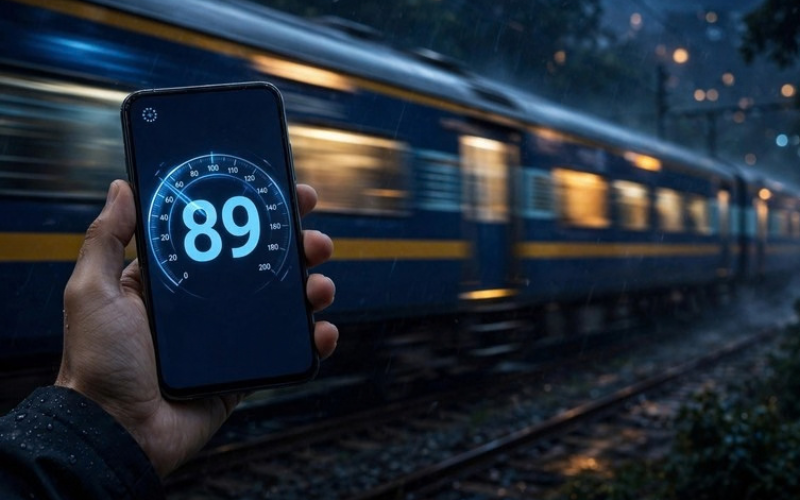 Check a train’s live speed with the free Train Speed Test: open it in your mobile browser, allow precise location, tap Start, and wait for a stable reading. No app or railway equipment is required.
The result is a consumer-phone estimate, not an official railway record. Open track offers the best conditions; tunnels, covered stations, deep cuttings, and some air-conditioned coaches can weaken reception.
Quick summary: Load the page before coverage weakens, enable precise location, keep the phone safely near a window, and trust a sustained reading rather than a one-second peak.
What you need
- A smartphone with Location Services enabled
- Chrome, Safari, Firefox, Edge, or another modern browser
- Precise-location permission for the browser and website
- A safe seat or stable position inside the coach
- A reasonably clear view outside
Web geolocation requires HTTPS and your permission. If location is blocked, the tool cannot measure speed.
Safety: Use the tool only from a secure position inside the coach. Never lean out, stand in an open doorway, enter a restricted area, or distract railway staff.
How to check train speed on Android or iPhone
Step 1: Enable accurate location
Android: Turn on Settings > Location, allow location for your browser while it is in use, and choose precise rather than approximate location. If needed, enable Improve Location Accuracy under Location Services > Location Accuracy. Names vary by version and brand; some phones call it Google Location Accuracy.[7]
iPhone: Open Settings > Privacy & Security > Location Services, select Safari Websites or your chosen browser, allow access while using it, and enable Precise Location. Reload the page afterward.[8]
Chrome may ask for access While visiting the site; Safari commonly shows Allow. Choose the option that permits location for the current site or session.
Step 2: Open the speed test
Visit the Train Speed Test before mobile coverage becomes weak. Keep the tab visible while measuring; background tabs and a locked screen can receive fewer updates on some phones.
Step 3: Choose when to tap Start
Choose the start time by purpose:
- Quick first fix: Tap Start shortly before departure; station waiting can lower the average.
- Moving-section average: Grant permission first, then start once the train is moving and stop at the section’s end.
Allow several updates before judging the result.
Step 4: Position the phone safely
Hold the phone naturally near a closed window, keeping its orientation consistent. Normal hand movement is tiny compared with train speed; the concern is blocking or reorienting the antenna when reception is already weak.
A window seat is not a guarantee. Metal coach bodies and heat-reflective or metallised AC-coach glass can weaken GNSS reception. Research on high-speed-train glass found substantial signal loss and poorer positioning behind it.[1]
Step 5: Read the live speed
Use Current speed for the latest estimate. Switch between km/h, mph, and m/s as needed. Useful conversions are:
| Convert | Formula | Example |
| m/s to km/h | multiply by 3.6 | 25 m/s = 90 km/h |
| km/h to mph | divide by 1.60934 | 100 km/h = 62.1 mph |
| mph to km/h | multiply by 1.60934 | 60 mph = 96.6 km/h |
| m/s to mph | multiply by 2.23694 | 25 m/s = 55.9 mph |
Step 6: Stop and review
Let the test run through a useful section, then tap Stop. Compare the current-speed pattern, maximum, average, distance, duration, GPS accuracy, and graph. A value sustained across several updates is more credible than a single spike.
How a phone measures train speed
“GPS speed” is common shorthand; GNSS is more complete. Depending on the phone, its receiver can combine GPS, GLONASS, Galileo, BeiDou, and—in supported devices and regions—NavIC.
Receivers often estimate velocity from satellite-signal Doppler shift; they can also use consecutive positions, time-differenced carrier phase, sensor fusion, and filtering. Doppler velocity can be much more precise than dividing the distance between two noisy map points by time.[2]
The browser receives the phone’s processed result through the Geolocation API, not raw satellite data. Speed is reported in metres per second when available, but it can be null; a web tool may then use a filtered or position-based fallback.[3] Satellite geometry, blockage, multipath, update rate, and filtering all affect the displayed value.
How accurate is a mobile train speed test?
GPS.gov says a GPS-enabled smartphone is typically accurate to within a 4.9-metre radius under open sky.[4] That is position accuracy, not speed accuracy.
Velocity can be more accurate than position: Doppler-based receivers can reach centimetres-per-second accuracy in benign conditions, while a real-world smartphone study reported a median speed error of 0.5 m/s (1.8 km/h).[5] These are not guarantees inside a train; antenna quality, coach materials, reflections, filtering, and update rate can worsen the result.
Use the tool’s GPS accuracy value as a practical signal-quality guide, not as a direct speed-error figure:
| Reported accuracy | Practical reading |
| 0–20 m | Generally usable |
| 20–50 m | Use sustained values |
| Over 50 m | Treat peaks cautiously |
These are practical thresholds, not manufacturer guarantees. Even with a 10 m position estimate, a speed spike can occur; conversely, a stable Doppler-based speed may still be useful when position accuracy is less impressive.
For more detail, read the Train Speed Test Accuracy guide.
Tips for a more reliable result
- Use an open section: Tunnels, covered platforms, tall buildings, bridges, steep cuttings, and dense structures can block or reflect signals.
- Stay safely near a window: If one window gives poor reception, changing seats may help, but never use an open doorway or hold the phone outside.
- Keep a consistent orientation: Do not repeatedly rotate, cover, or press the phone against coated glass. This helps the antenna maintain reception.
- Wait for several updates: Judge a stable sequence and the graph, not the first number or a one-update maximum.
- Watch the accuracy indicator: Treat readings over 50 m with caution and ignore unsupported spikes.
- Keep the page visible: Use the Keep Screen On option if available and avoid locking the phone during the test.
- Compare like with like: When comparing two runs, use similar route sections, durations, and signal conditions.
Why speed can freeze or show zero in a tunnel
Satellite signals are usually unavailable underground. In a tunnel, the browser may receive no update, an old position, or a position whose speed field is null. Zero is not always a direct measurement: the website may choose to display zero when fresh speed data is unavailable.
After leaving the tunnel, wait for several new updates before trusting the reading. A stale-to-fresh position transition can produce a temporary jump. See Why Train Speed Shows Zero in a Tunnel for a fuller explanation.
Does it work without mobile data or in airplane mode?
GNSS satellite reception and mobile internet are separate. After a web page has loaded, the phone may continue receiving satellite positions without mobile data. However, the browser still needs the page and its code to remain loaded, and network-assisted positioning can help the phone obtain a fix faster.
Airplane mode usually disables cellular transmission and may disable Wi-Fi and Bluetooth, while satellite positioning can continue on many modern phones. Behaviour still depends on the device, operating system, and browser. The most reliable approach is to load the speed test first, keep Location Services on, and leave the tab open. If the page reloads without a connection, it may stop working even though the GNSS receiver itself is active.
What current, maximum, average, and distance mean
- Current speed: The latest accepted and smoothed speed estimate.
- Maximum speed: The highest accepted smoothed value since Start. Treat an isolated maximum cautiously.
- Average speed: On this tool, the mean of accepted smoothed speed samples during the active session. Zero-speed samples can lower it, but periods with no usable location update are not necessarily counted. It is not the same as a timetable average.
- Distance: An estimate built from accepted speed updates. Weak-signal jitter can add a small amount of distance even when the train is nearly stationary.
- GPS accuracy: The phone’s estimated horizontal position uncertainty in metres—not a direct “plus or minus” value for speed.
For context, Indian train speeds depend on the rolling stock, track section, route geometry, stops, maintenance, and restrictions. A 2025 Ministry of Railways answer stated that Vande Bharat coaches are designed for up to 160 km/h, while track sections may have 110 km/h or 130 km/h potential.[6] Your live reading can be much lower near stations, curves, signals, or speed-restricted sections.
Location privacy
The Train Speed Test calculates speed in your browser; its measurement code does not send your coordinates to the server. Grant location only when measuring and revoke it afterward if preferred.
Location permission is separate from normal web data such as IP addresses, cookies, or analytics. Read the site’s Privacy Policy for those broader practices.
How to cross-check the result with kilometre posts
You can make a rough independent check by timing the train between two clearly identified kilometre posts:
- Note the first marker without moving from your safe seat.
- Start a stopwatch as it passes.
- Stop at the next marker exactly 1 km away.
- Calculate: speed in km/h = 3,600 ÷ seconds for 1 km.
Examples:
- 1 km in 45 seconds = 80 km/h
- 1 km in 36 seconds = 100 km/h
- 1 km in 30 seconds = 120 km/h
This gives an average over 1 km, not instant speed. Marker spacing, visibility, reaction time, and track geometry add error, so use it only as a reasonableness check.
A dedicated GNSS speed app offers another comparison. Map apps may filter movement differently or prioritise road navigation, so tools can disagree slightly.
Common problems and fixes
Stuck on “Waiting for GPS”
Confirm that Location Services and precise location are enabled, check the site permission, move safely nearer a window, and reload after changing permissions.
Speed stays at 0 while the train moves
The phone may have no usable update, especially in a tunnel, under a station roof, or inside a strongly shielded AC coach. Wait for open track and a fresh fix.
Speed jumps suddenly
Check the graph and reported accuracy. Multipath, signal loss, stale updates, or fallback calculations can create a spike. Ignore a peak that is not repeated across several updates.
Tracking stops when the screen locks
Keep the tab visible, use Keep Screen On if available, and avoid aggressive battery-saving mode.
Conclusion
A phone can give a useful live estimate of train speed when the GNSS signal is good and the result is interpreted correctly. Prepare location permissions before departure, choose the Start time based on whether you care about first-fix speed or moving-section average, use the phone safely near a window, and rely on sustained readings rather than isolated peaks. Treat tunnels, coated AC-coach windows, poor accuracy values, and sudden jumps as signal warnings—not as changes in the train’s true speed.
Frequently asked questions
Can I check train speed without installing an app?
Yes. Open the browser-based Train Speed Test, allow precise location, and tap Start. The first page load requires internet access.
Why do two phones show different speeds?
Antennas, GNSS chipsets, filters, update rates, seat position, and coach shielding differ. Compare sustained readings on the same section, not one instant.
Is the highest number the train’s true top speed?
Not necessarily. A one-update maximum may be a spike. A value held across several updates with good reported accuracy is more credible, but it remains a consumer-device estimate.
Can the test prove a railway speed record?
No. Official records require calibrated equipment, controlled procedures, documented conditions, and railway-authorised data.
Why does distance increase slightly while stopped?
Small position or speed fluctuations can be integrated as movement. This is GNSS jitter, not proof that the train moved.
One Response